5.Where to Write and How to Run a C Program
A Simple Guide to Compile and Execute C Programs

Introduction
When students start learning C programming, one of the first questions they have is:
Where do we write a C program and how does it run?
Before learning syntax or writing code, it is important to understand the environment used for writing and executing C programs.
This blog explains the basic tools and steps involved in running a C program, in a simple way for first-year engineering students.
Where Do We Write a C Program?
A C program is written in a text editor or an Integrated Development Environment (IDE).
1️⃣ Text Editor
A text editor is a simple software used to write program instructions as text.
Examples:
Notepad (Windows)
Notepad++
VS Code (used as editor)
Vim (Linux)
These editors are used only to write and save the program.
📌 The C program is saved with .c extension.
What Is an IDE?
An IDE (Integrated Development Environment) is software that provides:
Text editor
Compiler
Error messages
Output window
All in one place, making it easier for beginners.
Examples of IDEs:
Code::Blocks
Dev-C++
Turbo C (older)
Using an IDE reduces manual work and helps students focus on learning.
What Is a Compiler?
The computer cannot understand C language directly.
A compiler is software that converts a C program into machine language.
Examples of C compilers:
GCC (GNU Compiler Collection)
Turbo C compiler
The compiler:
Checks errors in the program
Converts it into executable form
The execution of a C program happens in the following steps:
1️⃣ Writing the program
The program is written in a text editor or IDE.
2️⃣ Saving the program
The program is saved with .c extension.
3️⃣ Compilation
The compiler checks the program and converts it into machine code.
4️⃣ Execution
The executable file is run to get the output.
📌 If errors are present, the program will not execute until they are corrected.
How to Run a C Program Using VS Code
Step 1: Install Required Software
Before running a C program in VS Code, two things are required:
1️⃣ VS Code (Code Editor)
2️⃣ C Compiler (such as GCC)
📌 VS Code is used to write code
📌 Compiler is used to convert code into machine language
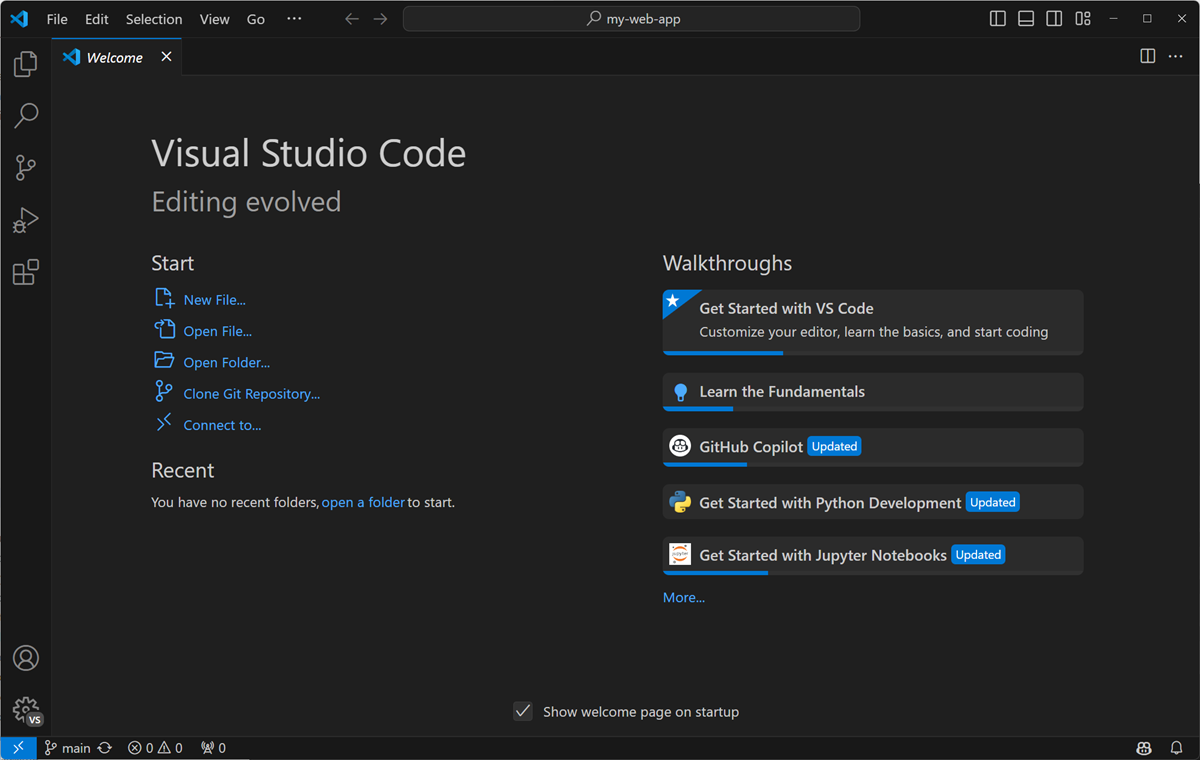
Step 2: Open VS Code
Launch VS Code
You will see the editor window
Step 3: Create a C Program File
Click File → New File
Save the file with
.cextension
Example:program.c
📌 .c extension tells the system that this is a C program.
Step 4: Write the C Program
Write your C program in the editor
Save the file (
Ctrl + S)
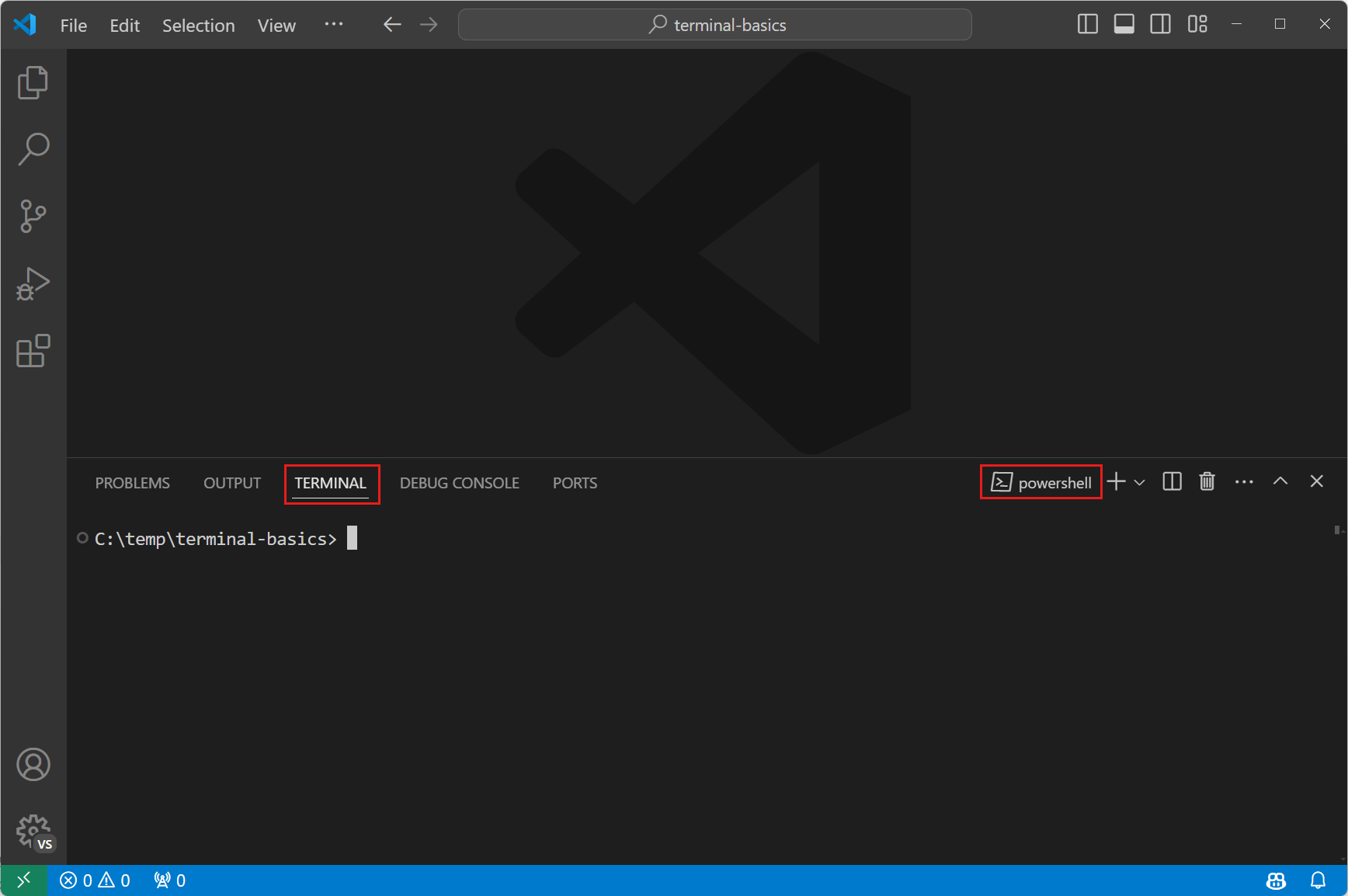
Step 5: Open the Terminal in VS Code
Click on Terminal → New Terminal
A terminal window will open at the bottom
Step 6: Compile the C Program
In the terminal, type the compile command:
gcc program.c
his checks for errors
If there are no errors, an executable file is created
📌 If errors appear, the program will not run until they are corrected.
Step 7: Run the Program
To execute the program:
a or a.exe
The output will appear in the terminal window.
Step 8: View Output
The program output is displayed in the terminal
Input (if required) is also given through the terminal


